
Anthropic (Claude) Configuration Guide
This guide explains how to set up and configure Anthropic's Claude models in BotGem.
Getting Your Anthropic API Key
To use Claude models in BotGem, you'll need to obtain an API key:
- Visit the Anthropic Console and sign in or create an account
- Navigate to the API Keys section
- Click "Create Key" and give your key a name
- Copy the API key for use in BotGem
Configuring Claude in BotGem
Once you have your API key, follow these steps to configure Claude in BotGem:
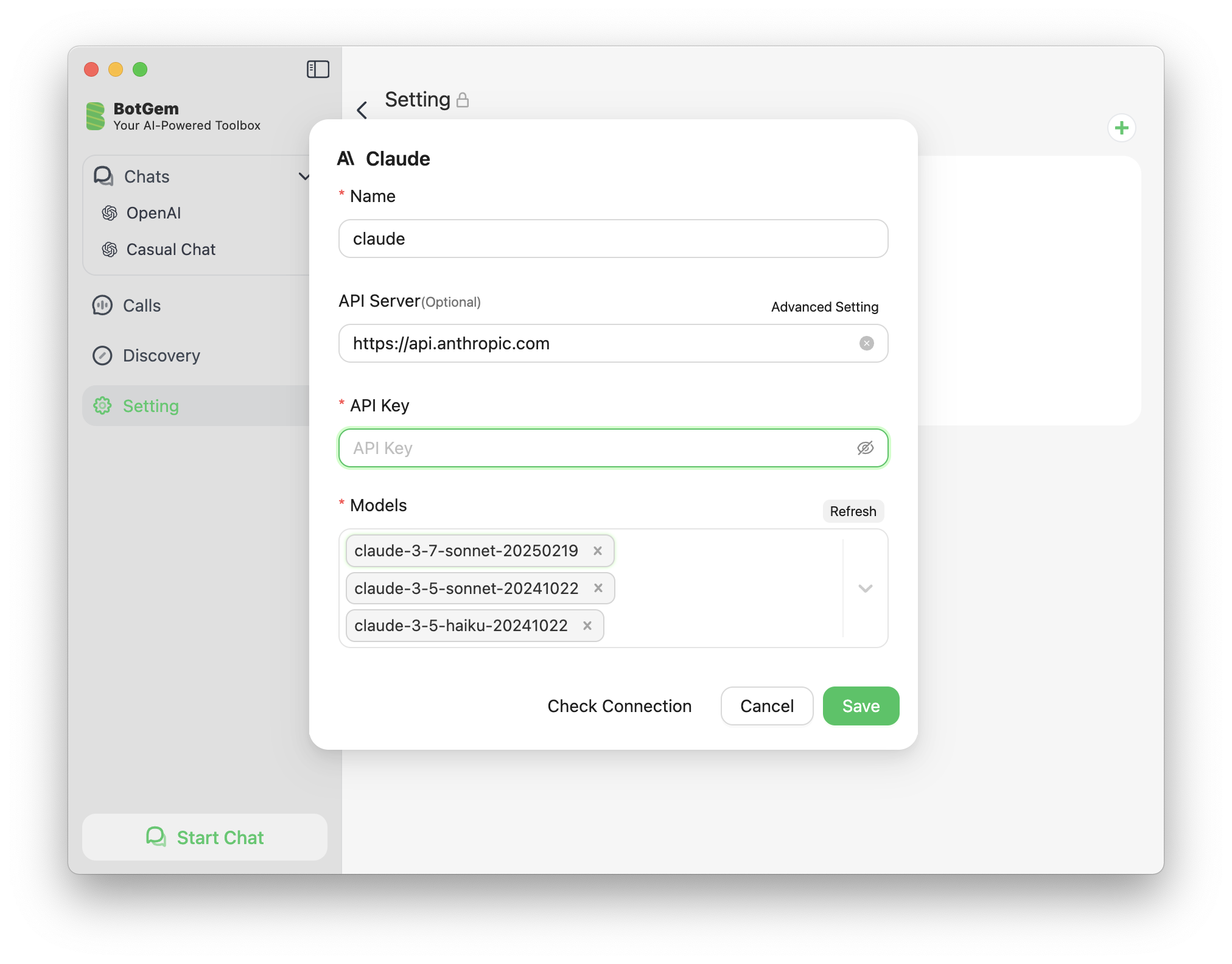
- Open BotGem and go to Setting
- Navigate to the Service Provider section
- Find the Anthropic Claude provider in the list
- Enter your Anthropic Claude API key in the designated field
- Click Save to apply your changes
Advanced Features
Extended Thinking Mode for Claude 3.7 Sonnet
Claude 3.7 Sonnet supports an Extended Thinking Mode that enhances its reasoning capabilities for complex tasks. To learn how to enable and use this feature, see our Claude Extended Thinking Mode Guide.